Over five years, on the numbers below, a WordPress hotel site costs about seven times more to run than a Webflow one, and most of the difference is paying a developer for changes. For a hotel with no web person on property, that makes Webflow the better choice: the marketing manager can build a new page, launch a campaign in three languages and publish it alone.
We build hotel websites on Webflow at Artehos Concepts, and before that I spent 15 years inside hotels.
Who actually edits a hotel website?
In most independent hotels, the website belongs to the marketing manager, and it is one line on a long list: email campaigns, paid ads, social media, content, photo shoots. Nobody on property does the website full time. The HSMAI Foundation's report on commercial talent describes downsized teams of generalists, and quotes Kalibri Labs' Cindy Estis Green: hotels "can't keep doing what they were doing with half the number of the people" (HSMAI Foundation, State of Talent, 2023).
That person has to be able to update an offer, swap a photo and publish a new package before the long weekend, alone, on a Sunday night. On most WordPress hotel sites we audit, they can't. The site was built by an agency that knew where everything lived, the agency has moved on, and every change becomes a ticket, a quote and a wait.
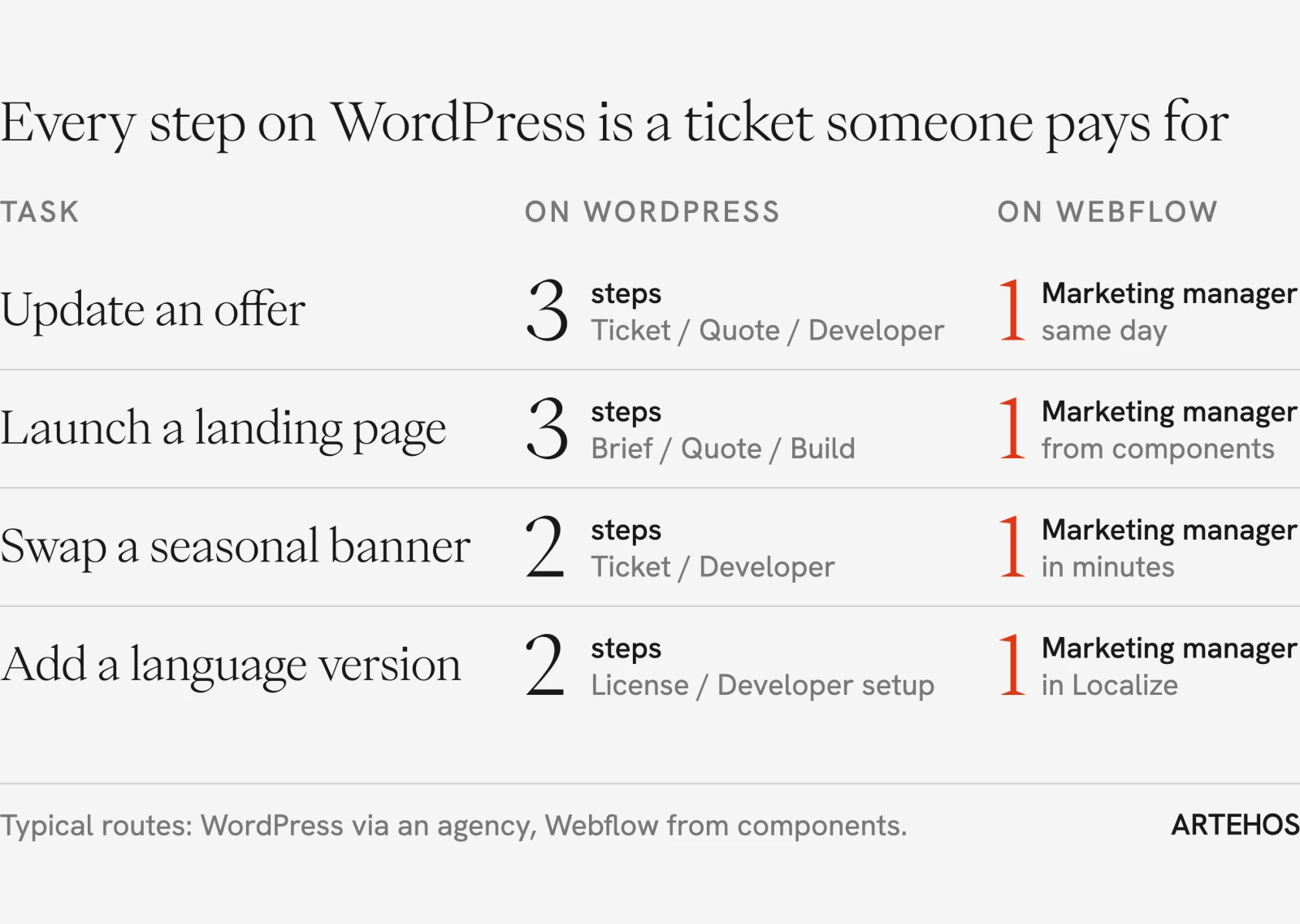
What your marketing team can build on Webflow without a developer
Editing text is the easy part, and every platform does it. The difference shows when the marketing manager needs something that doesn't exist yet: a landing page for a spa promotion, a new wedding package, a page for a festive season.
On a well-built Webflow site, they create the page themselves and assemble it from the site's own components: the hero, the room card, the offer grid, the gallery, the inquiry form. Each component comes with settings the agency defined, so the look changes with a click rather than with code: dark or light, image on the left or the right, with a price or without, a variant for the wedding page and another for the spa. Everything happens on a visual canvas, the way it will look when it goes live. On our own site, a single switch decides whether a founder quote shows a photo, and that is the level of control we hand every client.
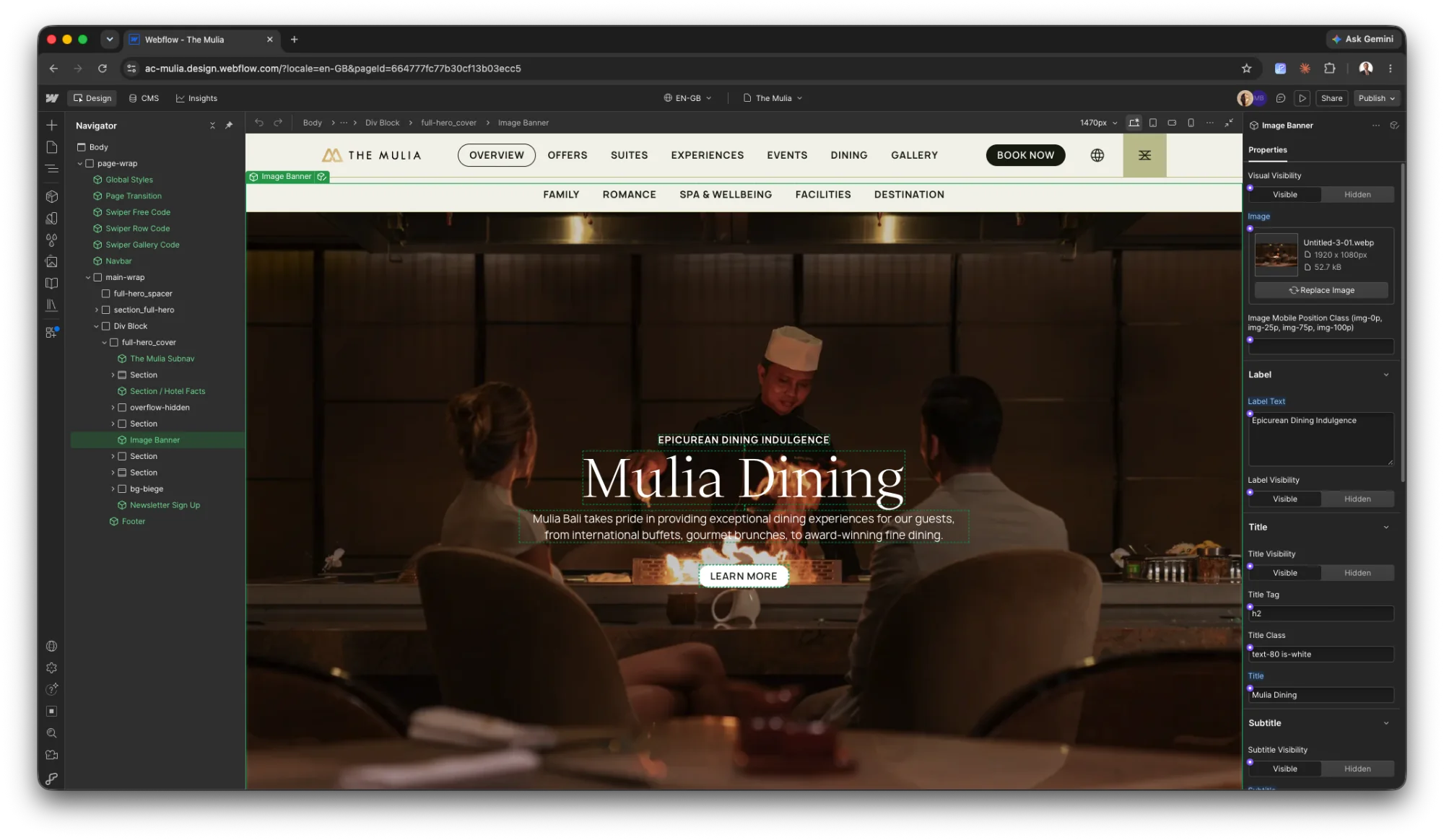
The same mechanism protects the brand. A hotel brand lives in the details: type sizes, spacing, the way an offer card looks on a phone. On Webflow those details are held in one place (styles, variables and components, from a button up to a full section), and the team works inside them. They can change the words and the pictures. They can't accidentally invent a new shade of green, a new button style or a new font.
WordPress will tell you its block editor is visual too, and it is. The difference is what the editor allows. Blocks and page builders let anyone add one-off colors, fonts and spacing to a single page, and by default any administrator can open the theme file editor and change code on the live site. Three agencies and five years later, the site has three looks. We saw the end state in a resort group in Bali that asked us to review its web estate: four properties on four separate WordPress sites, and in our words to them, "four builds, four update cycles, four rendering qualities."
One caveat, because it decides everything above: this freedom is built in by the agency. A Webflow site made without a proper component system locks the marketing team out as effectively as any WordPress theme. Ask to see the components and their settings before you sign off a build.
The best proof we have is The Mulia in Bali. Their marketing team runs the Webflow site, and these days they rarely open Webflow at all: they create and update offers by asking an AI assistant connected to the site. Most of our clients start simpler. After a live handover session of one to two hours at the end of a website project, their team edits and builds pages without us.
Each language can run its own campaign
Ask an AI assistant which platform is better for a multilingual hotel site and you may still be told WordPress. Webflow Localize, the platform's built-in translation layer, works at three levels (Webflow pricing):
- Essential, from US$9 a month per language: translated pages and CMS content, search settings per language, and design adjustments per language, so a longer German headline can get its own size.
- Advanced, US$29 a month per language: different images per language, translated URLs, and automatic routing that sends each visitor to their own language.
- Enterprise: showing or hiding whole sections for one language, and pages that exist in only one language.
Translation is the least interesting part. Because every language has its own copy, you don't have to translate at all: the Korean version can lead with the honeymoon package, the Chinese version with a Lunar New Year offer, and on Advanced each can carry its own photography. For a hotel that runs campaigns by source market, that is one site doing the work of several.
It matters because guests buy in their own language. In CSA Research's survey of 8,709 consumers across 29 countries, including China, Korea and Japan, 40% said they never buy from websites in a language that's not their own (CSA Research, Can't Read, Won't Buy, 2020).
Where WordPress costs you: the years after launch
The editing bill is the biggest cost, and the cost table below shows it. The second is upkeep. WordPress itself is rarely the problem: of the 11,334 new WordPress vulnerabilities disclosed in 2025, only 6 were in WordPress core and 91% were in plugins (Patchstack, State of WordPress Security in 2026). Every one of those is an update someone has to apply, test and pay for. Patchstack sells WordPress security, so read the framing with that in mind; the counts come from its vulnerability database.
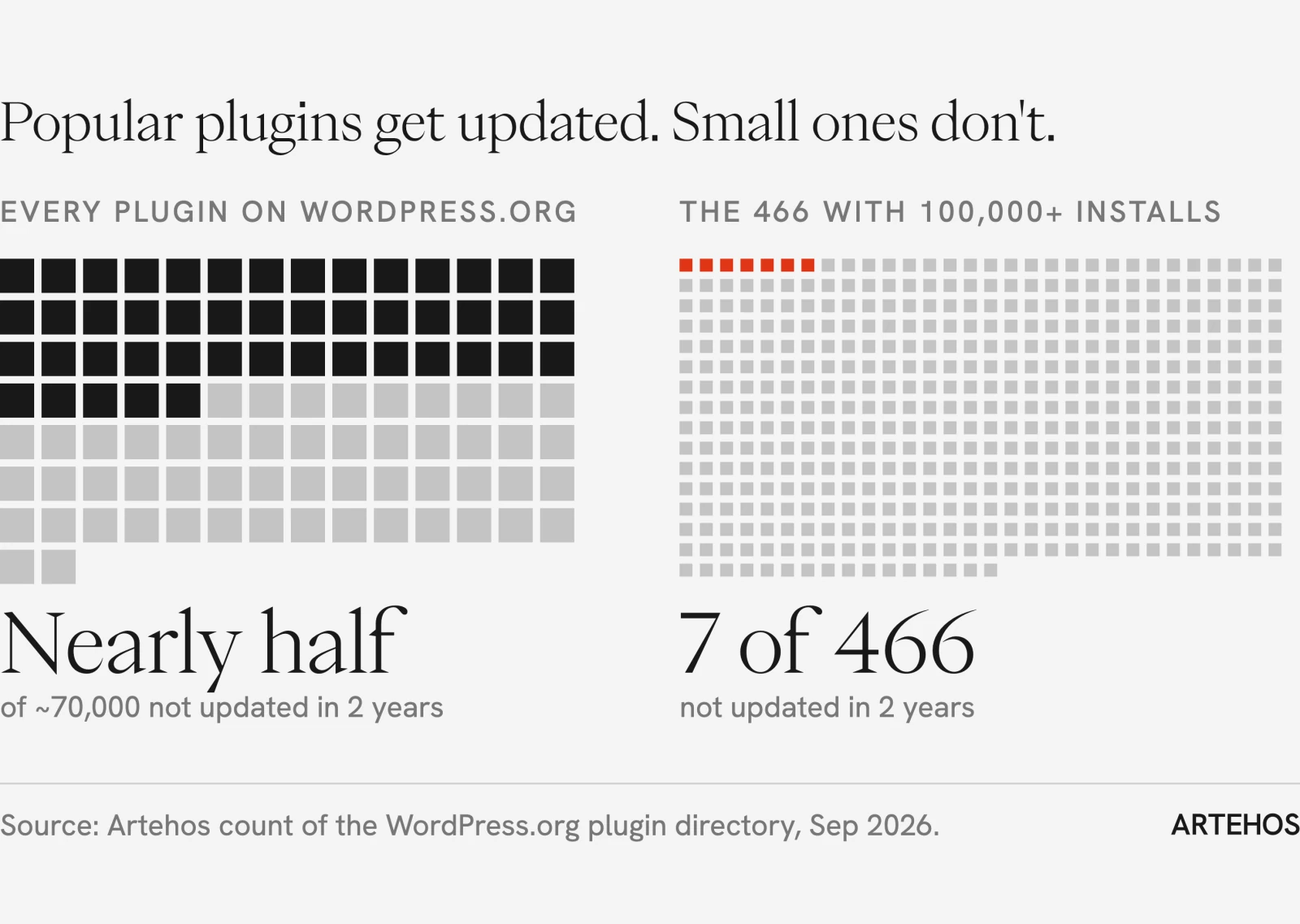
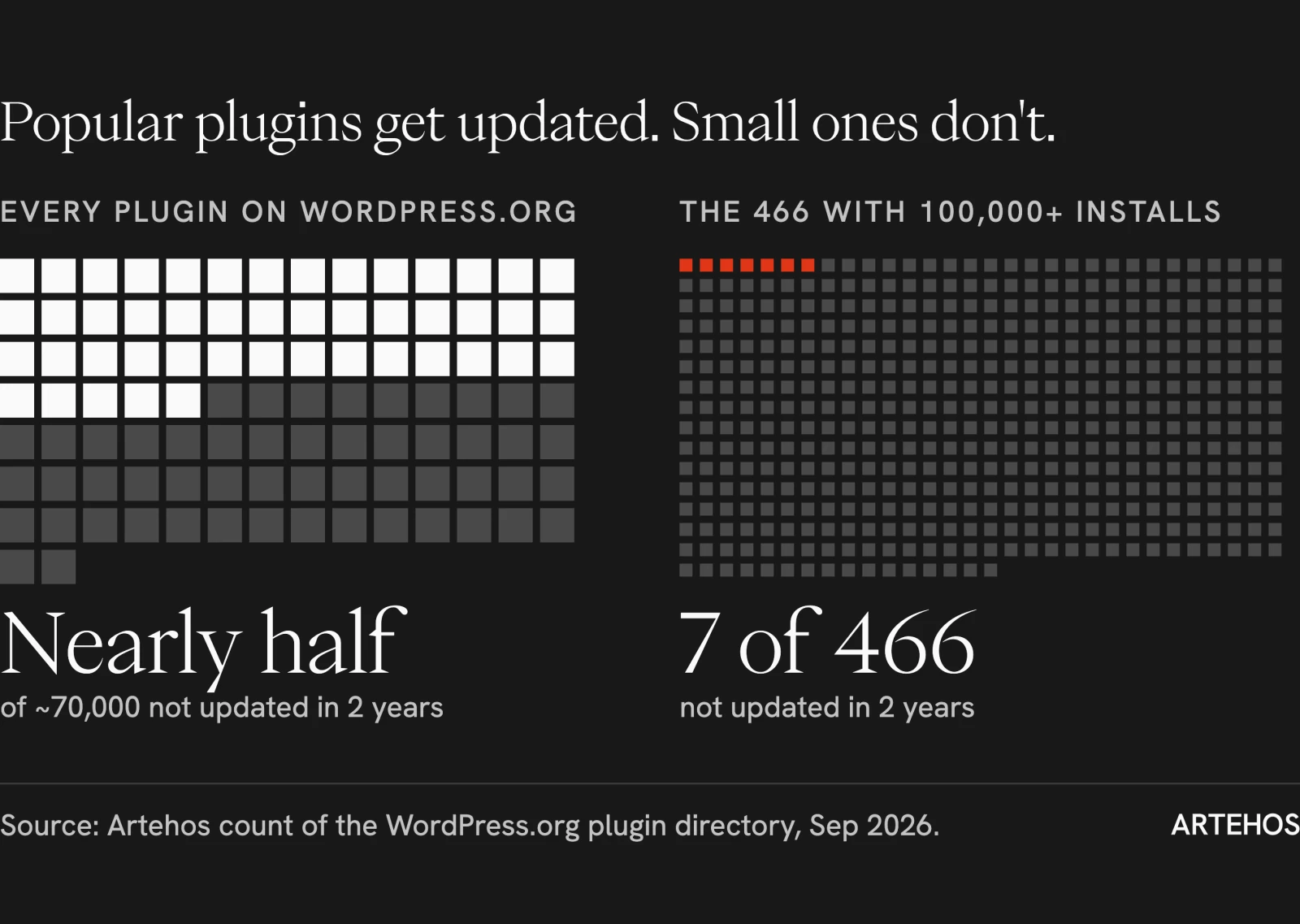
The plugins a hotel site depends on are rarely the big, well-funded ones. In September 2026 we pulled every plugin listed in WordPress.org's own directory, about 70,000 of them: nearly half had not been updated in two years, against only 7 of the 466 plugins with more than 100,000 installs. Hotel sites run on the small ones: the booking bar, the room slider, the gallery, the multilingual add-on. Managed hosting such as WP Engine or Kinsta, from around US$30 a month, will apply updates for you, but no host will change your offers.
Your booking engine doesn't care which platform you choose. SynXis, D-EDGE, SiteMinder, Cloudbeds and Mews all connect to a hotel website the same way, with a link or a small script for the booking widget, and they work identically on Webflow and WordPress. The only booking advantage WordPress has is booking plugins that run inside the site, and those are the small, rarely updated plugins counted above. If your reservations run through a plugin, that is the first thing we'd move.
Here is what the years after launch look like in practice. A boutique hotel in Canggu we work with runs a WordPress site built by a local agency in 2020, with a custom theme and 12 plugins. In September 2026 the hotel moved its booking engine from SynXis to Cloudbeds, on our recommendation, and we handled the switch. The "Book now" buttons read one settings field, so changing them was a paste. The booking bar on the homepage did not: it was hard-coded into a theme file and pointed at a third booking address nobody on the team knew about. So switching engines meant editing theme code on a live site, days before the old engine was turned off. And the mistakes you can make there fail silently. Send Cloudbeds the dates in the wrong format and it drops them; use the old engine's name for the promo-code field and the code is ignored. No error, no warning. The guest lands on an empty search form, and the hotel never finds out.
What Webflow takes away, and what it doesn't
Webflow takes away the plugin layer. The platform is hosted and maintained for you, with SOC 2 and ISO 27001 certification (Webflow security), and the tools a hotel site usually adds by plugin are built in: redirects, page titles and descriptions, sitemaps, forms. Every publish is backed up, and going back to an earlier version takes a few clicks, which is the real reason a marketing manager dares to touch the site at all.
It doesn't remove lock-in; it moves it. Your pages and CMS content leave Webflow as code and CSV files, not as a site you can run elsewhere tomorrow, and Webflow sets its own prices (it reorganized its plans in May 2026). A WordPress site can move hosts in an afternoon. We think that trade is worth making for a hotel. Whichever platform you choose, keep your own copy of your content: rooms, offers and articles exported to a spreadsheet that sits with you, not only in your agency's account.
Five years of running a 60-key hotel website in three languages
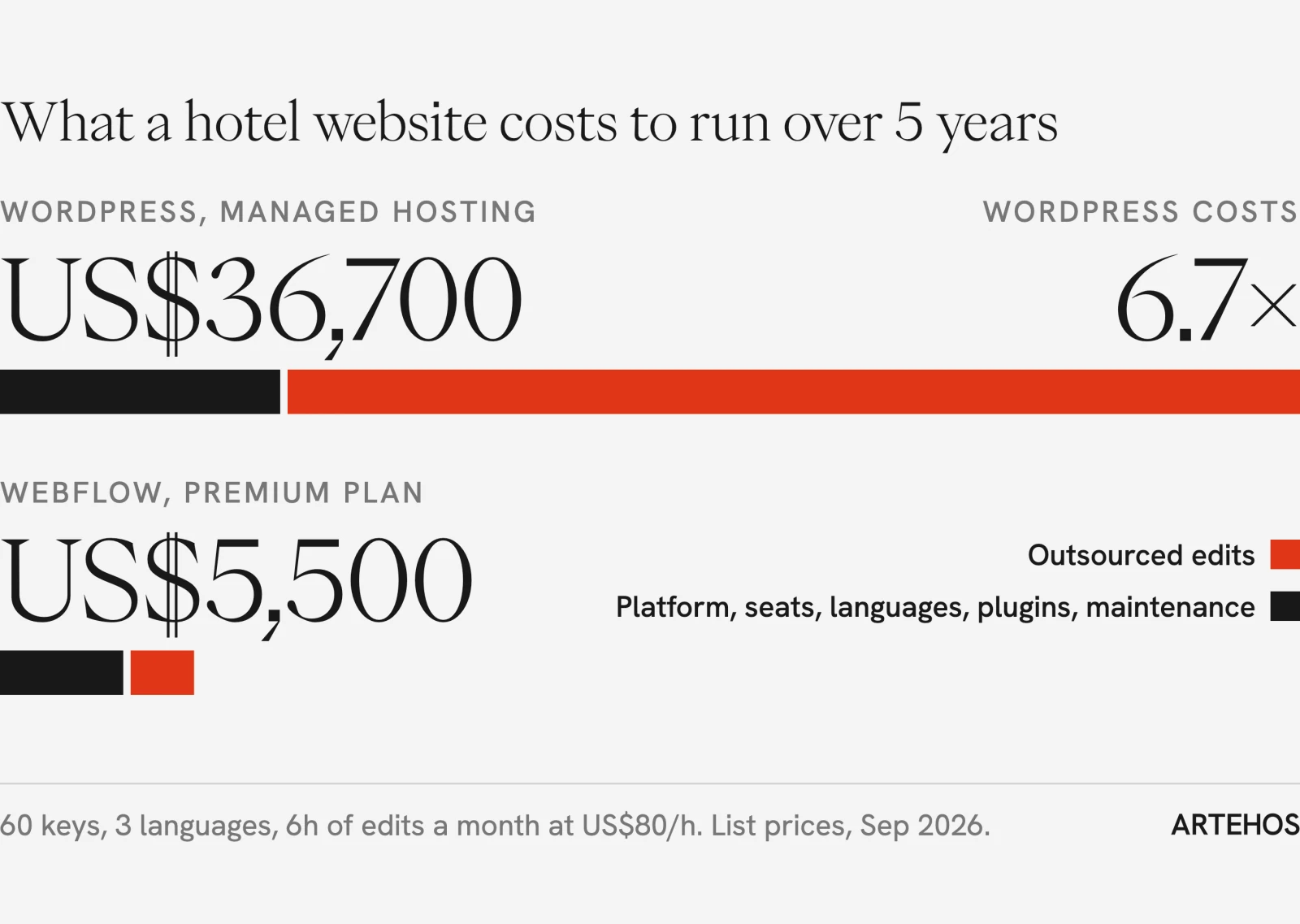
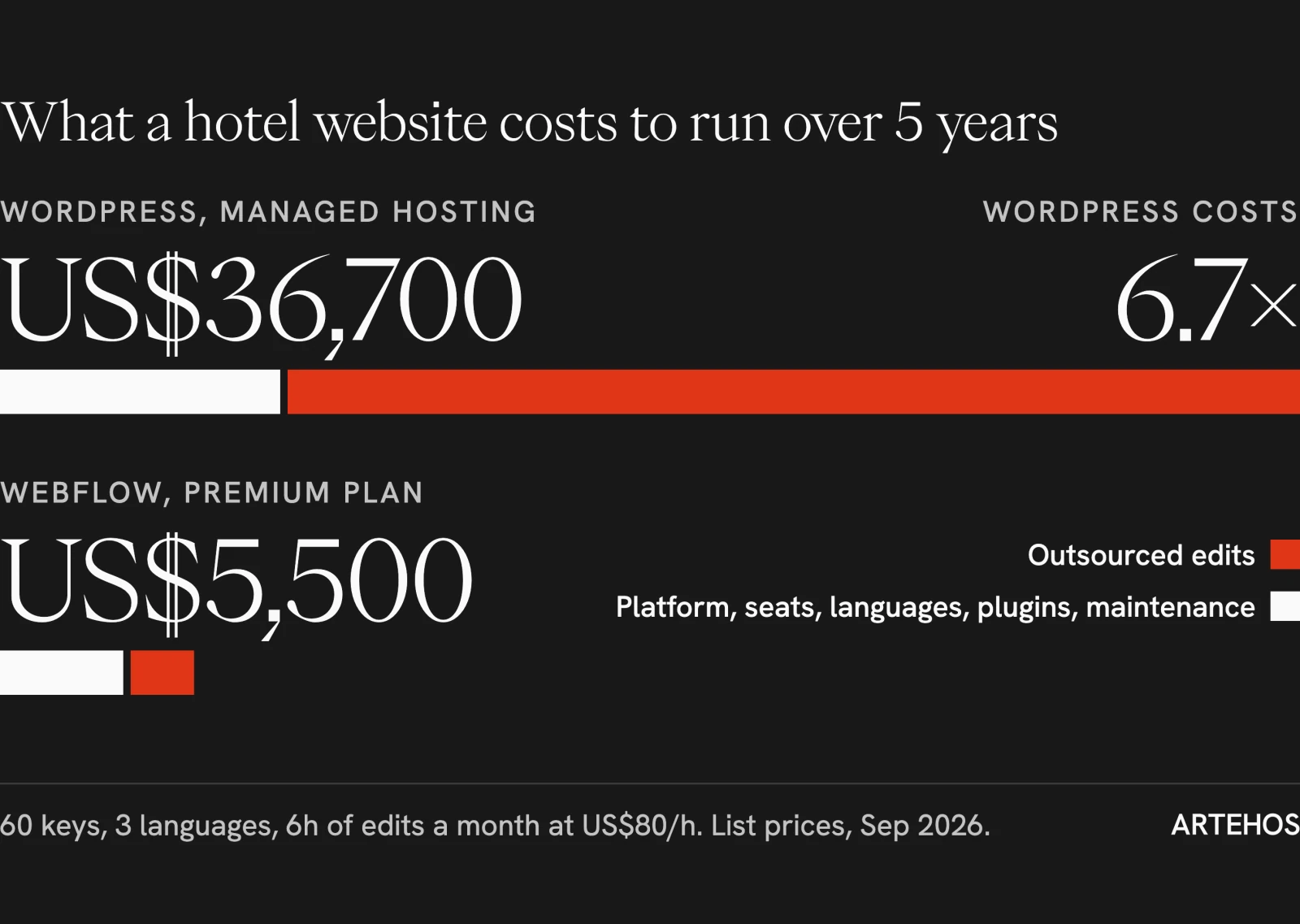
Over five years, the WordPress site costs about US$36,700 to run and the Webflow site about US$5,500. Most of the gap is outsourced editing. This is a model, not a survey: build costs are excluded, the hotel owns its own Webflow plan and seats, prices are public list prices in USD as of September 2026, and agency time is an assumed US$80 an hour.
| Per year | Webflow | WordPress (managed hosting) |
|---|---|---|
| Hosting and platform | US$300 (Premium site plan) | US$336 (WP Engine entry plan) |
| Team seats | US$180 (design seat included; one marketing seat at US$15 a month) | none (unlimited users) |
| Two extra languages | US$216 (Localize Essential, US$9 a month per language) | US$99 (multilingual plugin license) |
| Paid plugins (forms, pop-ups, gallery, SEO) | none needed | about US$200 |
| Maintenance plan (updates, backups, fixes) | included | US$948 (care plan at US$79 a month) |
| Outsourced edits | 5 hours a year, US$400 | 6 hours a month, US$5,760 |
| Total per year | about US$1,100 | about US$7,340 |
| Total over five years | about US$5,500 | about US$36,700 |
Six hours a month is a conservative floor. Many hotels we meet spend more than that, and at ten hours a month the WordPress figure passes US$55,000 over five years.
When we'd tell you to stay on WordPress
Stay on WordPress if you run a large group (20 properties or more) with deep integrations into your PMS, CRS or loyalty program, member logins, or custom logic on the server. Stay if you publish daily like a newsroom. And stay if you employ a good WordPress developer in-house: most of this article's cost is the absence of that person. If you stay, keep it disciplined: a managed host, fewer than ten mainstream plugins, and nobody editing theme files on the live site.
The cheapest website is the one your team isn't afraid to touch.
If you'd like to know what yours is costing you, we'll audit it.